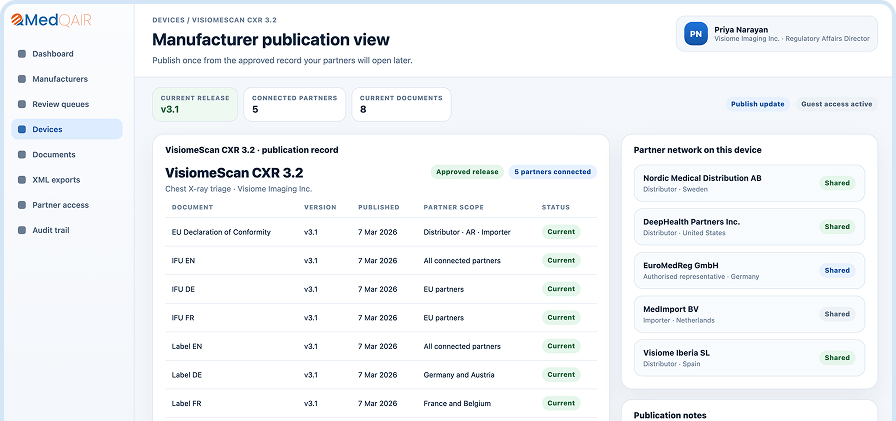
Your document archive in MDIS in days, not quarters.
Manufacturers with hundreds of IFUs, multi-language variants, and years of superseded versions don’t upload them one by one. They run a coding agent against the MDIS API, have it propose the metadata, and let their regulatory team review the diff before anything publishes. Run the agent yourself, or have us run it with you.
If your portfolio has ten or more device families, each with its own IFU, manual entry adds up to weeks of regulatory affairs time.
Many languages.
If each IFU exists in five or more languages and supersession rules differ by market, keeping each version correctly mapped is where mistakes creep in.
Years of history.
If you have a document archive stretching back to your first CE mark, migrating that history into a structured system is a project, not an afternoon.
If you have one or two devices, the regular upload flow is faster. This page is for teams moving a real catalogue.
How It Works
A scripted migration, with your team in the loop
1
The agent reads the archive
A coding agent (Claude Code, Codex, or a comparable tool) scans the existing folder structure, file names, and document contents to propose a device-and-document mapping. The archive does not need to leave its current location.
2
The agent matches against EUDAMED
Each proposed device is matched against existing EUDAMED registrations where applicable. Basic UDI-DIs, classification, and actor references stay consistent with what’s already declared.
3
The regulatory team reviews the diff
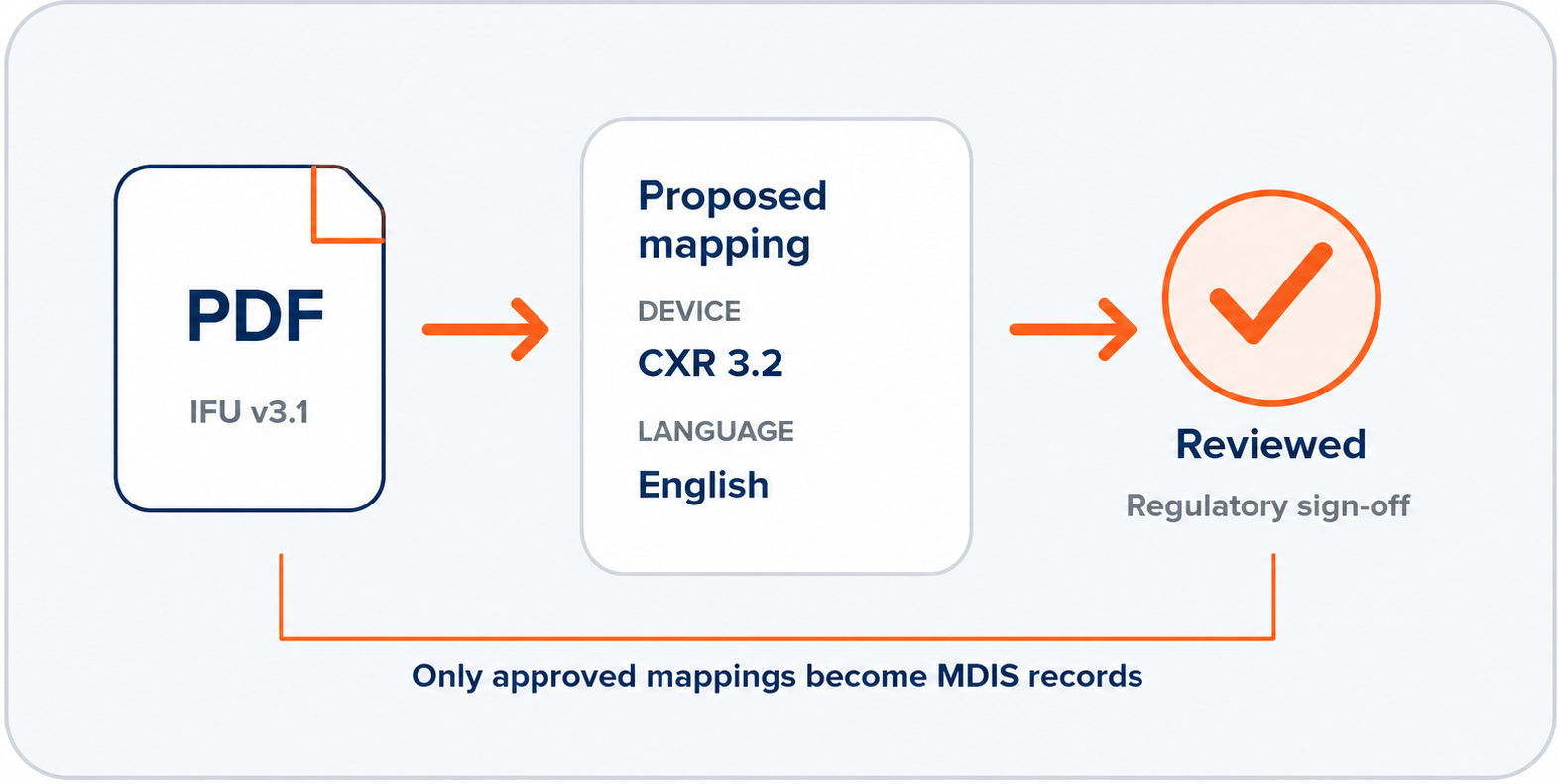
The agent produces a structured proposal: which document goes to which device, at which version, in which language, with which effective date. The regulatory team approves, amends, or rejects. Nothing reaches MDIS without sign-off.
4
The agent publishes via the MDIS API
On approval, the agent writes to MDIS using a scoped access token. The same API any future automation will use. Result: a fully populated workspace and a script that can be re-run when new batches land.
Two Ways to Run It
Run it yourself, or run it with us
Run your own agent
Your team operates the coding agent against the MDIS API.
Your engineering or regulatory operations team runs Claude Code, Codex, or a comparable tool against your archive. We provide the MDIS API, schema documentation, and example patterns. You provision a scoped access token for your agent and revoke it when the migration finishes. We do not access your systems.
Teams with engineering capacity and a working knowledge of coding agents.
Run it with us
Our engineers run the workflow alongside your regulatory team.
We work with you to scope the migration, run the agent against a sample of your archive, and hand your regulatory team the same structured diff for review. You sign off on every proposal before it publishes. The script we write is yours at the end.
Teams without internal coding-agent experience, or teams that prefer to focus their internal effort on review rather than execution.
Most customers start with us and graduate to running it themselves once they’ve seen the workflow.
Governance
Nothing publishes without your sign-off
The coding agent reads documents and proposes metadata. It does not decide what is true. Every proposed mapping is reviewed by your regulatory affairs team as a structured diff before it becomes a record in MDIS. This is true whether your team runs the agent or we run it with you.
You keep the same approval authority you’d have if every entry were typed by hand. The proposal is generated in hours instead of weeks, your team reviews instead of authoring, and the resulting metadata is consistent across your whole archive because a single scripted pass produced it.
Ongoing
The first migration is the hard one
After the initial migration, your team owns the MDIS API integration and the migration script. Most ongoing document updates happen through your regular QMS workflow. When a large batch lands, a multi-device clearance, a language expansion, or a major IFU rewrite across the portfolio, the same script runs against the new folder. The script lives in your repository, under your change control. Run it yourselves, share it inside your organisation, or ask us to run it. It works the same way either time.
Book a 30 minute demo and see how simple partner-facing document sharing can be.